
Speakeasy vs Slack: Focused team chat without channel noise
Slack is powerful for company-wide chat. Speakeasy is built for teams that want each piece of work to have a focused topic with the right people, files, calls, and decisions in one place.
Start your team chat now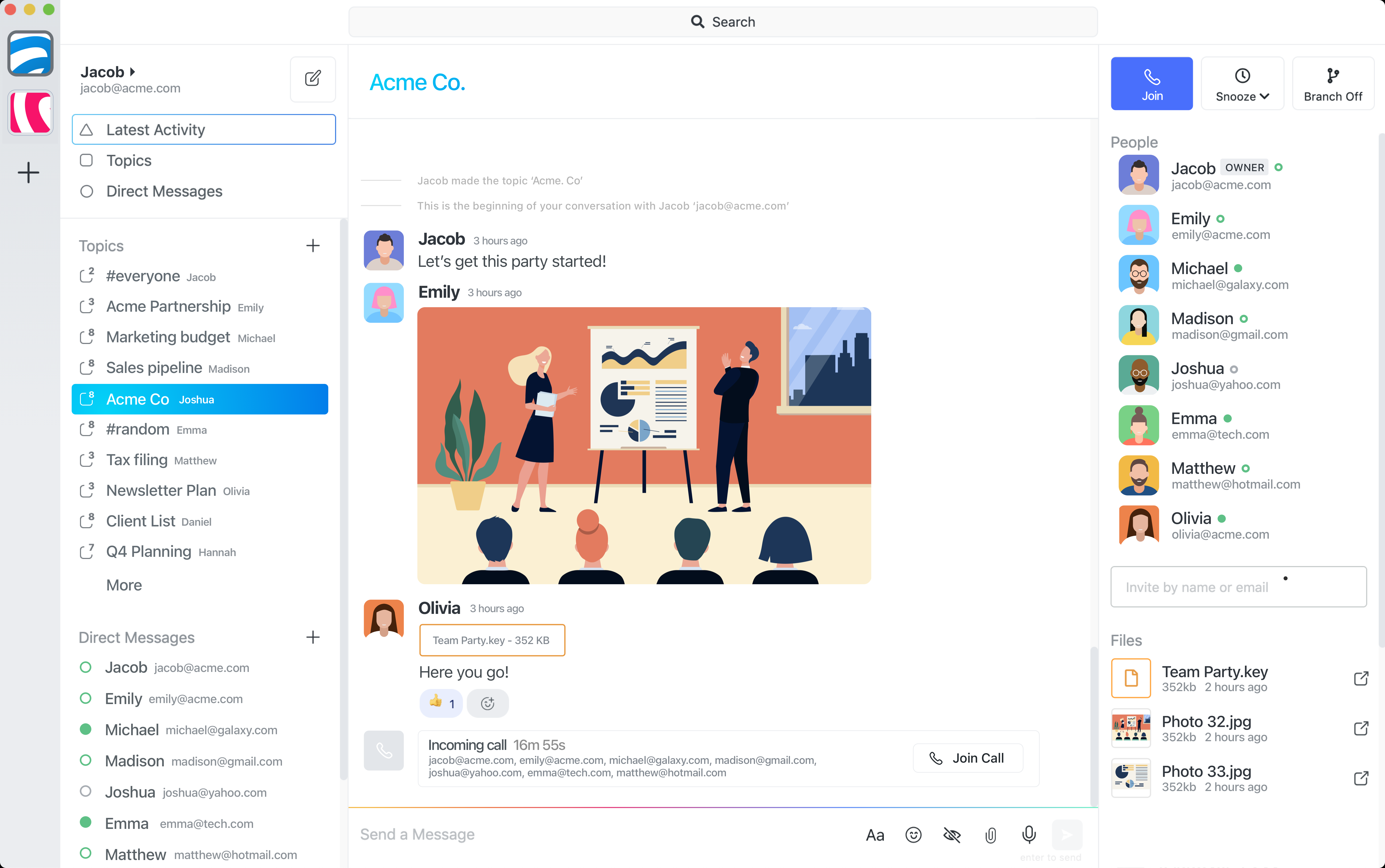
Summary: when to choose focused team chat over Slack
Choose Speakeasy when your team works best in focused topic conversations, wants fewer broadcast-style interruptions, and does not need the full Slack ecosystem. Choose Slack when broad channels, app-heavy workflows, or large enterprise administration are central to how the company communicates.
Topic-based chat vs channel-based Slack
Slack starts with channels that can become long-running streams for departments, projects, or announcements. Speakeasy starts with topics: smaller spaces for one client, task, decision, incident, or workflow so context stays attached to the work.
Threads vs topics
Slack threads are useful for quick side discussions, but they become awkward when the real work moves there. Decisions, files, approvals, and follow-ups can end up hidden inside a thread attached to an older channel message. Speakeasy topics are first-class conversations that are easier to find, share, and close when the work is done.
Less broadcast noise
In channel-first chat, important decisions can sit beside status updates, reactions, and side conversations. Speakeasy keeps conversation scope tighter, making it easier to follow the topics that matter without watching every team-wide room.
Smaller, more private conversations
Speakeasy is useful when work involves a precise group of teammates, clients, contractors, or external collaborators. A topic can include only the people who need that context, which reduces accidental audience creep.
Simpler setup
Teams can start with direct chats, group topics, file sharing, and calls without designing a large channel taxonomy first. That makes Speakeasy easier to roll out for focused collaboration, client work, and small team workflows.
Pricing and value
Speakeasy has a free Starter plan and a Pro plan listed at $5.99 per month, so teams that do not need Slack-level administration or a large app marketplace can keep communication costs lower while still getting topic chat, history, files, and calls.
AI agent workflows and OpenClaw updates stay focused
AI agent updates are easier to review when they live inside the same focused topic as the human discussion. Speakeasy can keep agent progress, approvals, and follow-up contained instead of spreading automation noise across broad channels.
When Slack is still the better choice
Slack remains a better fit for companies that rely on a mature app directory, complex enterprise controls, broad announcement channels, or a familiar channel-based operating model across many departments.
Common questions
Is Speakeasy a good Slack alternative for small teams?
Yes. Speakeasy is a strong fit when your team wants focused topic spaces, simpler setup, and fewer broad team broadcasts.
How are Speakeasy topics different from Slack channels?
Slack channels are useful for broad, ongoing streams. Speakeasy topics are smaller rooms for a specific decision, client, task, or workflow.
Can Speakeasy support AI agents and OpenClaw workflows?
Yes. Speakeasy gives agent work a focused topic so people can review progress, files, approvals, and decisions in one place.
When should a team still choose Slack?
Slack can be better when a company depends on a large app marketplace, broad announcement channels, or enterprise-wide administration.